“Can you look after our website?” sounds like one request. In practice it usually contains two: keep what we have working, and help us change it when the business needs something new.
Both matter. They are just different kinds of work, with different rhythms and different ways of being priced. Separating them makes it much easier to agree a scope that fits, and to know what you are paying for each month.
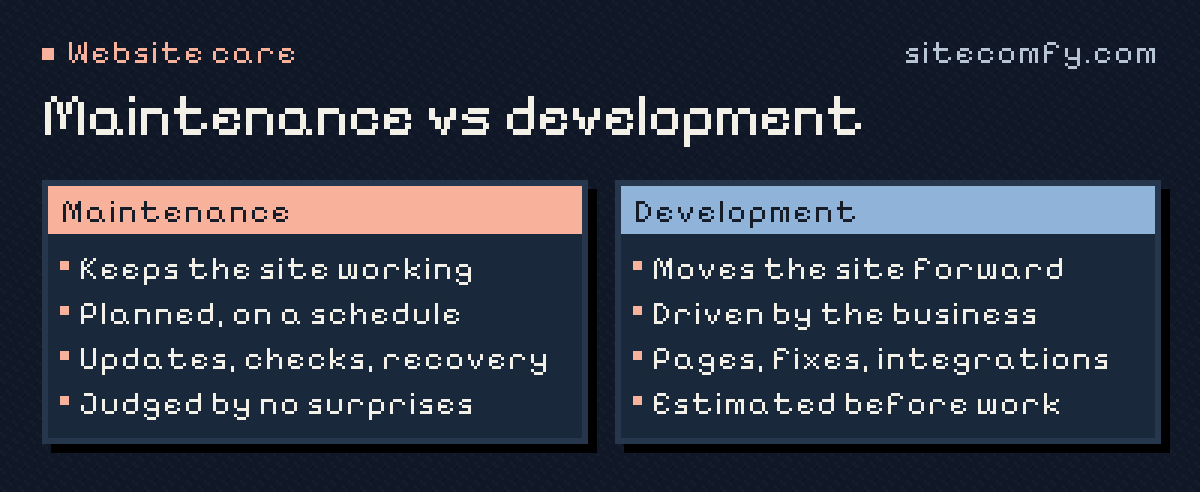
Maintenance keeps the website working.
Maintenance is the recurring work that protects what already exists. It is mostly planned, repeated on a schedule and judged by the absence of problems. Depending on how your website is built, it can include:
- Keeping software, dependencies or platform settings current where that is your responsibility rather than the platform’s.
- Monitoring availability and certificate expiry, and investigating alerts.
- Keeping a recovery route: backups or exports you control, and a known way to restore them.
- Checking the pages and journeys that matter, such as an enquiry form or a booking flow.
- Watching renewals for the domain, hosting and paid services connected to the site.
- A short record of what was done and what needs a decision.
The exact list depends on the architecture. A site on a hosted builder leaves much of the infrastructure to the vendor. A custom site on your own hosting may add runtimes, databases and deployments to the list. The platform name alone does not tell you which applies.
Development moves it forward.
Development is the work that changes the website: something new, something different, something better. It is driven by the business rather than the calendar. Typical examples:
- A page for a new service, a campaign landing page or a case study.
- Fixing a layout that breaks on mobile, or a section that makes the next step hard to find.
- Connecting a form to a CRM, or replacing a booking tool.
- Speeding up a slow page, or simplifying a form visitors abandon.
- Investigating an error and scoping a larger change before committing to it.
Development needs estimates and priorities. Two requests can take ten minutes or two days, and you should know which before the work starts.
Where the line usually sits.
A useful rule: if the work keeps the current website in the agreed working state, it is maintenance. If it produces something the website did not do before, it is development.
Some cases need an explicit agreement. If a routine update carried out as part of maintenance causes a problem, fixing it is normally part of maintenance. A fault that existed before care started is different: it is usually a separate, one-off repair, agreed and priced on its own before the recurring service begins.
Twelve typical requests, sorted.
Most requests fall clearly on one side. Here is how a typical month of requests might be split:
- Maintenance: applying an update to a booking plugin and testing a booking; renewing an expiring certificate; restoring a page after an accidental deletion; fixing a form that stopped sending after a routine update; checking an alert that the site was down; removing a former employee’s access.
- Development: adding a page for a new service; building a landing page for a campaign; connecting the contact form to a new CRM; redesigning the pricing section; speeding up a slow template; adding a new language.
A few requests sit in the middle. Replacing a plugin that its author has abandoned keeps the site working, but choosing and configuring the replacement is often a small project. Agreeing how such cases are handled avoids surprises on the invoice.
How much development time do you need?
The easiest way to estimate is to look backwards. List the website requests from the last few months, including the ones that never got done, and give each a rough size: under an hour, half a day, more than a day. The total tells you whether a small monthly allowance would cover your normal flow, or whether larger pieces of work are better planned as separate projects.
Leave some slack. Requests arrive unevenly — a quiet month followed by a launch — and an allowance that is always used up in the first week will leave urgent changes waiting.
Three ways to set up the scope.
- Maintenance only. Suits a stable website that rarely changes. You get the recurring care and a report; any change is quoted separately.
- Maintenance with a development allowance. Suits a website that changes regularly. A monthly amount of time is reserved for agreed requests, so small improvements do not wait for a new project.
- Project work on top. Larger changes — a redesign of a section, a new integration — are estimated separately so they do not quietly consume the allowance for everyday requests.
Whichever you choose, the agreement should say what is covered, how requests are sent and estimated, what happens to unused time, and what falls outside the scope. “Access to a developer” should never silently mean unlimited work.
How to decide what you need.
Look back over the last six months. How many times did someone ask for a change to the website? How long did those requests wait? Did anything stop working without anyone noticing for a while?
If the answer to the first question is “almost never”, maintenance on its own may be enough. If requests pile up, a development allowance usually costs less than chasing a new supplier for every small job — and the person doing the work already knows your site.
Start with the website you have.
A good scope starts from a review of the actual setup, not a generic package. Tell us about your website and the kind of work you expect, and we’ll suggest a way to split maintenance and development that fits it.
Frequently asked questions.
Is fixing a bug maintenance or development?
If routine maintenance caused the bug, fixing it is normally maintenance. If the bug existed before care started, or comes from a new feature, it is usually development or a one-off repair, agreed and estimated separately.
What happens to unused development hours?
That depends on the agreement. Some providers let a small amount roll over, others do not. Agree the rule before you start, so the monthly allowance is planned rather than rushed.
Can I buy maintenance only and pay for changes as needed?
Yes. For a site that rarely changes, maintenance plus separately quoted changes is often the simplest option. If requests arrive every month, an allowance usually gets them done faster.
Does maintenance include content updates?
Usually not. Changing text, images or pages is development work, even when it is small. Some plans include an allowance that covers it.